Download Tracker —a new Drupal module to track file downloads
I wanted to track downloads of my applications, and no existing Drupal modules seemed to do exactly what I want to do, so I asked Antigravity to create one. I called it Download Tracker.
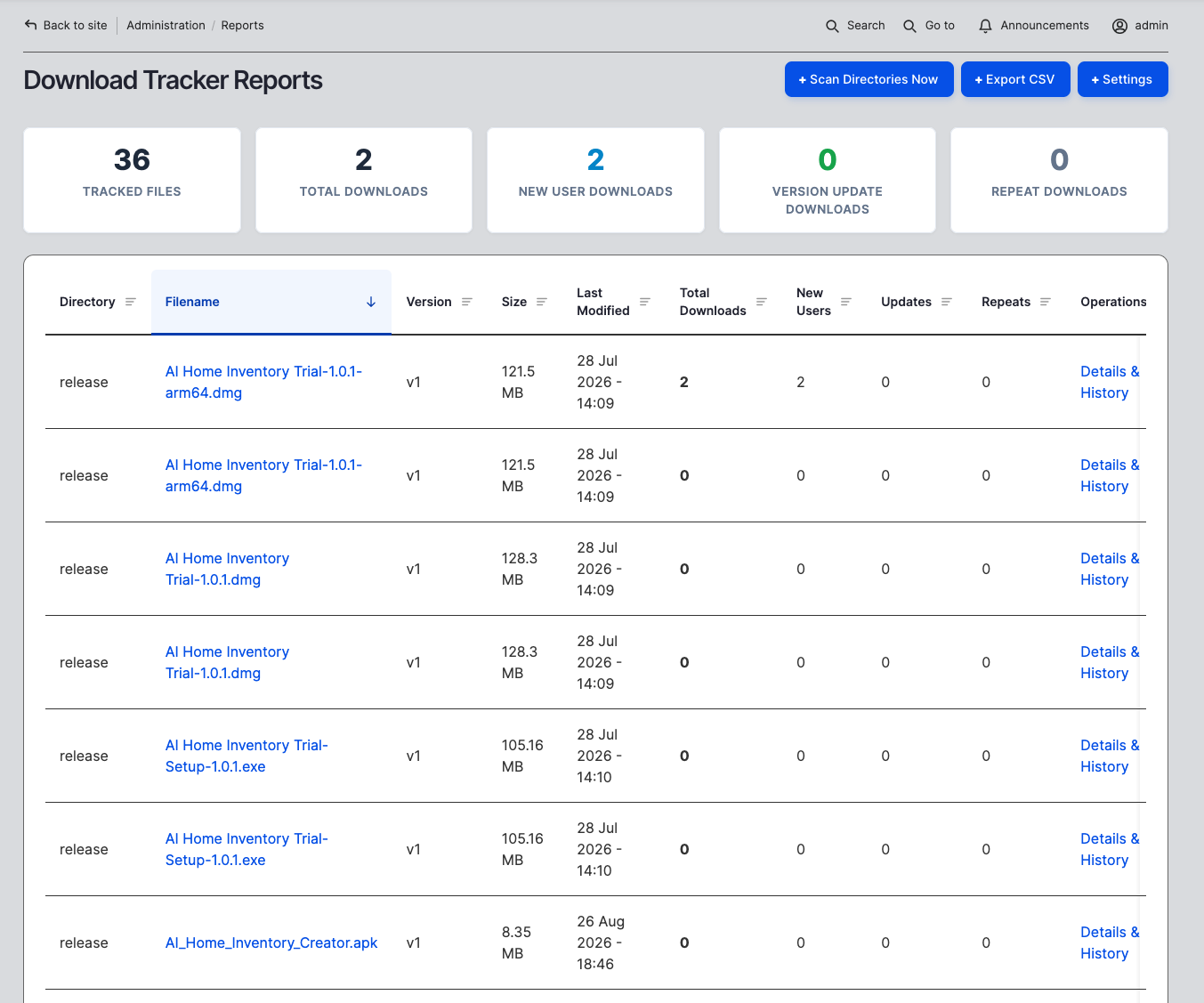
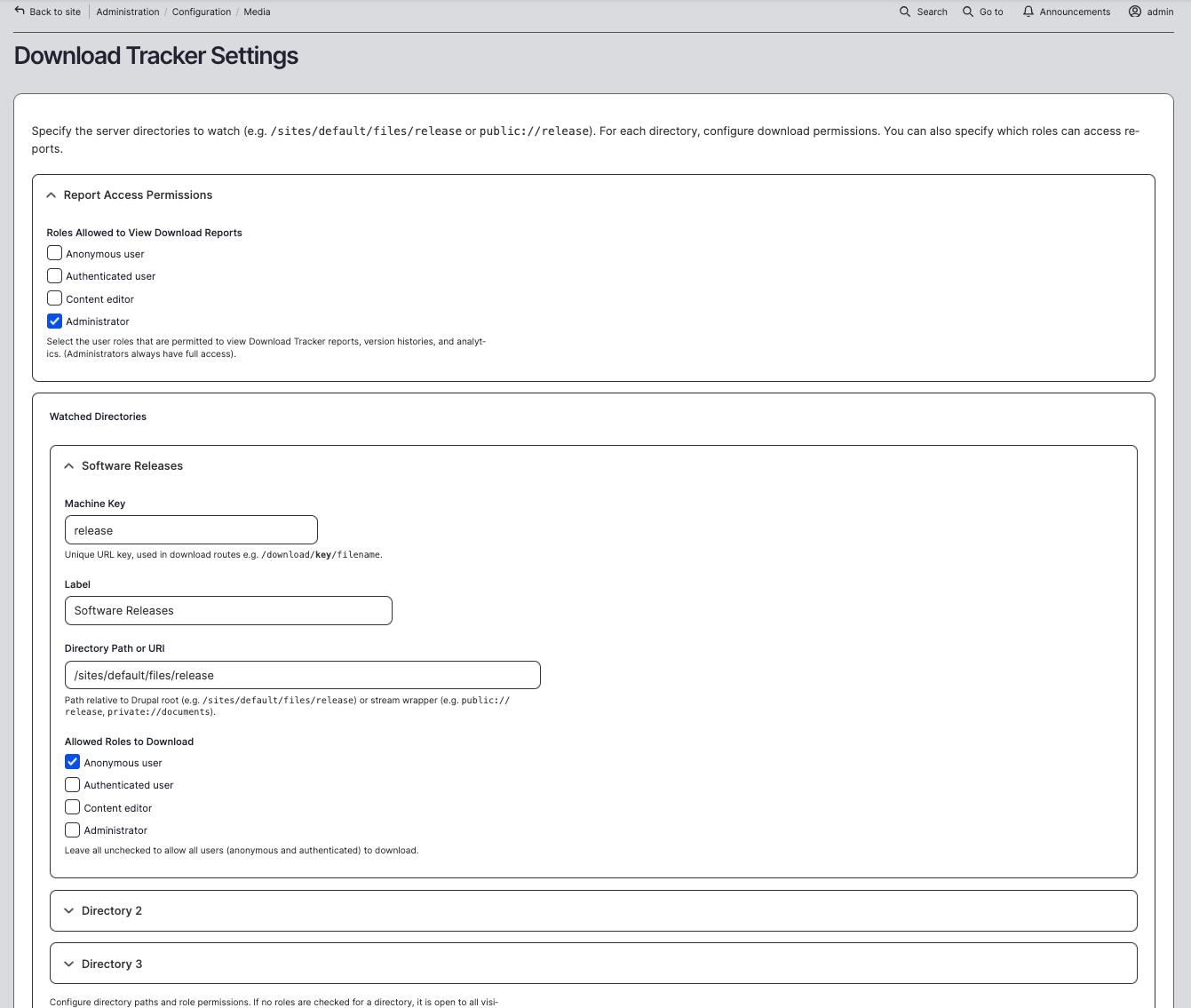
It has fine grained directory access, and can track public and private files served by Drupal.
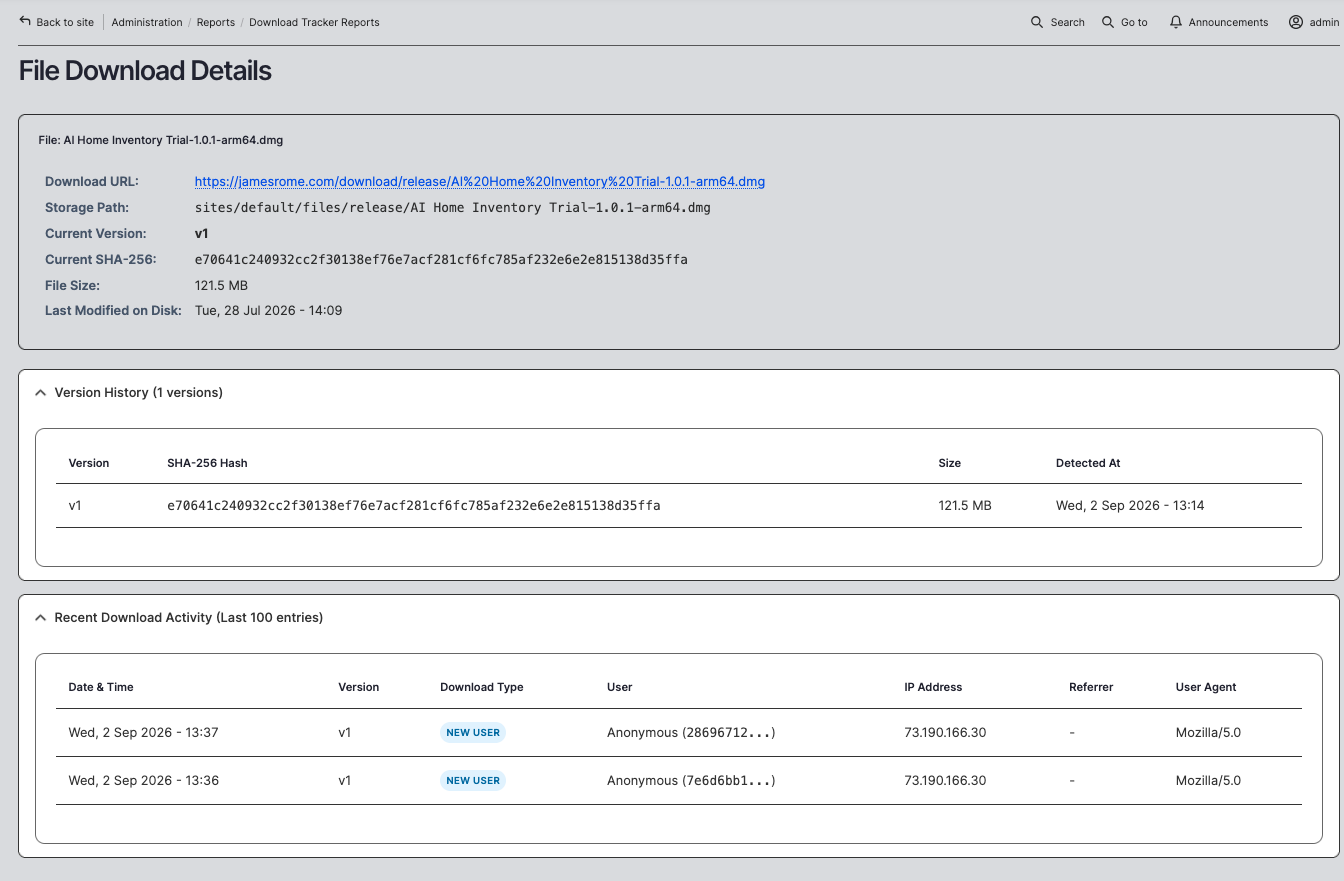
It also keeps track of new vs old users using a cookie, and tracks different versions of the files:
This module was created by Antigravity, and here is its .md file:
Download Tracker



Download Tracker is a high-performance Drupal module that monitors administrator-configured server directories for file changes and software releases, tracks file reads and downloads, and automatically categorizes downloads into New Users, Version Updates, and Repeat Downloads.
🌟 Key Capabilities

- 📂 Watched Directory Management: Monitor any server folder (e.g.,
/sites/default/files/release,public://release,private://documents). - 👥 Role-Based Download Control: Granular access permissions per directory (e.g. restrict to Authenticated users or leave open for Anonymous visitors).
- 🔐 Report Permissions in UI: Conveniently configure which roles can view analytics directly from the module settings page.
- ⚡ Intelligent Version Auditing: Automatically computes SHA-256 integrity hashes on disk to detect file updates and increment release versions (
v1v2v3...). - 📊 Visual Analytics Dashboard:
- High-level summary metrics cards (Total Files, Total Hits, New vs. Update vs. Repeat).
- Interactive data table with multi-column sorting across all metrics.
- Drill-down per-file audit trail with SHA-256 version history and chronological access logs (IP, User ID, Referrer, User-Agent).
- One-click CSV Export.
- 🛡️ Transparent Static Link Redirection: Direct links to static file paths (e.g.
https://example.com/sites/default/files/release/app.exe) automatically redirect to the tracker endpoint so no download is missed. - 🤖 Bot & Crawler Filtering: Automatically filters out search engine spiders (Google, Bing, Yandex, etc.) to keep your metrics clean.
🚀 Quick Start Guide
1. Installation
Via Composer (Recommended)
Enable Module via Drush
(Alternatively, enable via the Drupal administration interface at Extend (/admin/modules).)
2. Configuration
Navigate to Configuration
Media
Download Tracker (/admin/config/media/download-tracker):
- Report Access Permissions: Check the roles permitted to view reports and statistics.
- Watched Directories: Configure your folders:
- Machine Key: e.g.,
release - Label: e.g.,
Software Releases - Directory Path: e.g.,
/sites/default/files/releaseorpublic://release - Allowed Roles: Select roles allowed to download, or leave unchecked for open public access.
- Machine Key: e.g.,
- Click Save and Scan Directories Now.
TIP
Both standard paths with leading slashes (/sites/default/files/...), relative paths (sites/default/files/...), and Drupal stream wrappers (public://..., private://...) are automatically supported.
🔗 Clean Download URLs
You can share clean, tracked download links anywhere on your site, in documentation, or in emails:
Example:
https://example.com/download/release/WhatBeeped_Setup_v1.0.exeNOTE
Automatic Static URL Interception: If users or external sites access legacy direct links like https://example.com/sites/default/files/release/WhatBeeped_Setup_v1.0.exe, the module automatically intercepts the request, routes it through the tracker to count the hit, and streams the file immediately.
📈 Reports & Analytics
Access your analytics at Reports
Download Tracker (/admin/reports/download-tracker):
- Interactive Sorting: Click on any table header (Directory, Filename, Version, Size, Last Modified, Total Downloads, New Users, Updates, Repeats) to sort ascending or descending.
- Drill-Down Audit: Click Details & History on any file to inspect its full SHA-256 version timeline and timestamped access logs.
- Export Data: Click the Export CSV action button for reporting and offline analysis.
⚙️ Drush CLI Integration
📋 Requirements & Compatibility
- Drupal Core:
^10 || ^11 || ^12 - PHP:
^8.1 || ^8.2 || ^8.3 - Database: MySQL / MariaDB / PostgreSQL / SQLite
📄 License
This project is licensed under the GNU General Public License, version 2 or later (GPL-2.0-or-later).
Add new comment