Freestyle Libre 2 app is impossible to use on Android. Freestyle 3 drains phone battery in a few hours.
Freestyle Libre 2 app is impossible to use on Android. Freestyle 3 (also) drains phone battery in a few hours.
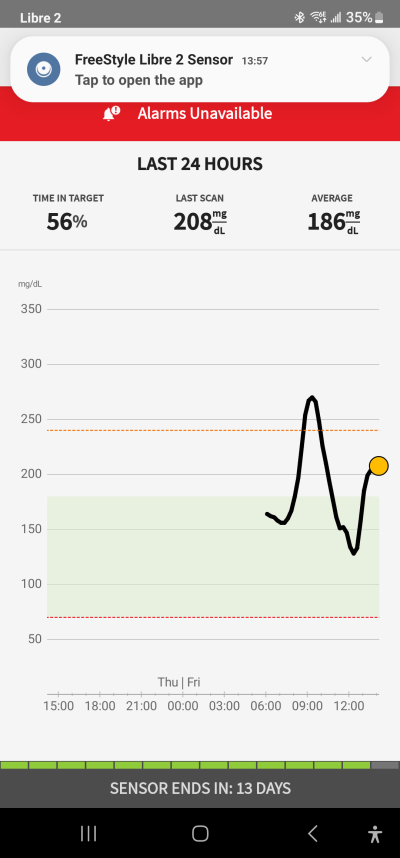
I just got an Abbott Freestyle Libre 2 system to measure my blood sugar. It is nice to not have to do pin sticks, but the app makes my phone unusable.
 |
 |
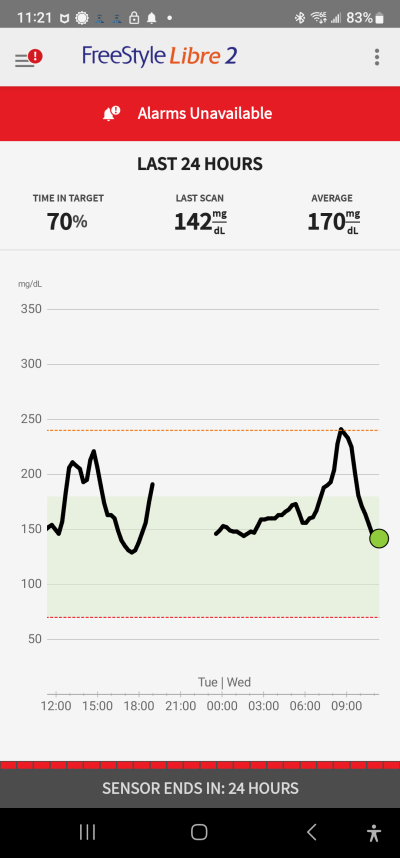
Notice the top of the left image. the app IS open, but this pop-up will not dismiss, it just pops up again.Furthermore, it is also on the top of every other app, obscuring that app's menu, so it is unusable!
Next issue is that the Libre 2 App insists that its alarms are on. The alarms are useless because the system only measures your blood sugar when you do a scan. But, of course, you just read the result and know if your blood sugar is high or low. The problem with turning on alarms is that the app insists on turning off battery optimization. This drained my phone overnight so that I was unable to do a fasting blood sugar.
The only way to use this app to measure your blood sugar is to force it to quit after your measurement, and to turn it on for the next measurement.
Abbott support was useless.
Libre 3
When my 14 days was up, I upgraded to a Libre 3 measuring device and the Libre 3 app. The Libre 3 being physically smaller, and it no longer requires syncing the sensor to manually make a reading. It measures blood sugar every minute.
I knew that something was wrong when I activated the device. During the 60-minute initialization time, I got repeated pop-ups asking me to tap to measure my blood sugar.
After the initialization, these continued. (Tap on the video below)
Note the following:
- The app is up and running, and still the pop-up keeps asking me to tap to measure blood sugar.
- The pop-up blocks the top of the screen preventing the user from accessing the menus on ANY app, making the phone unusable.
- The battery has been drained to 33% (it was almost full when I started the process). The pop-ups drain the battery so fast that the charger can barely keep up.
- This is a health issue since a user taking phone away from home will be left with a drained battery unable to measure blood sugar!
I called Abbott support and they were useless, and tried to blame it all on me or my phone. I program computers and know a bug when I see one. Then I tried Facebook. See my chat below:
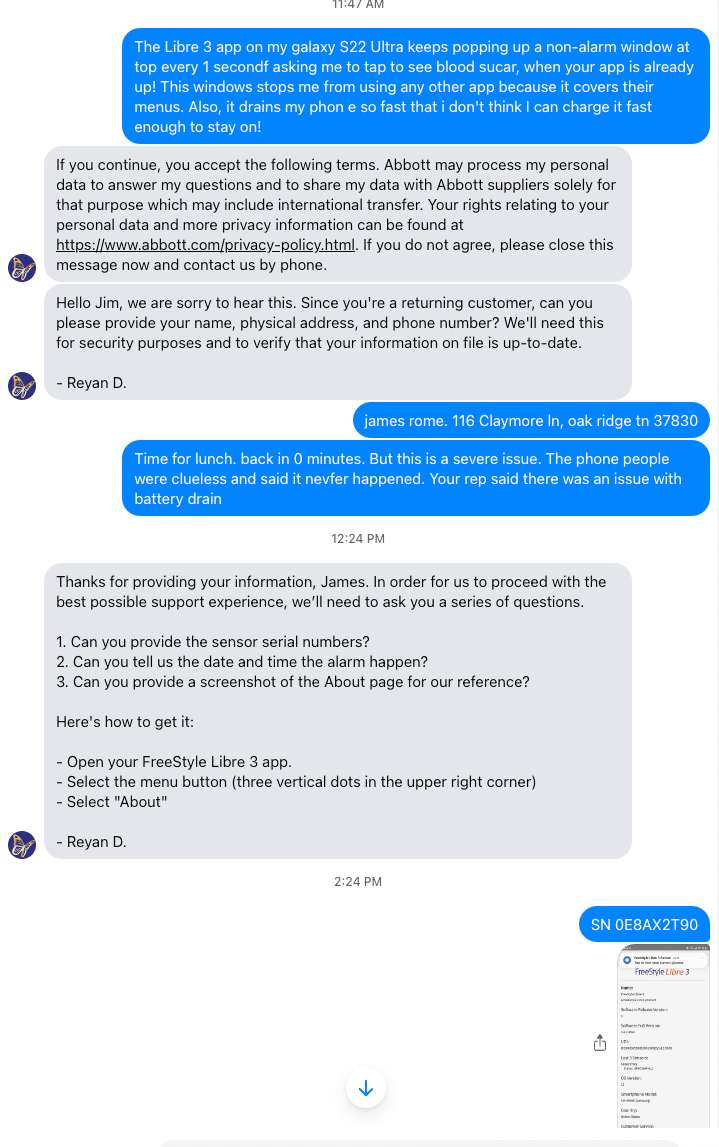
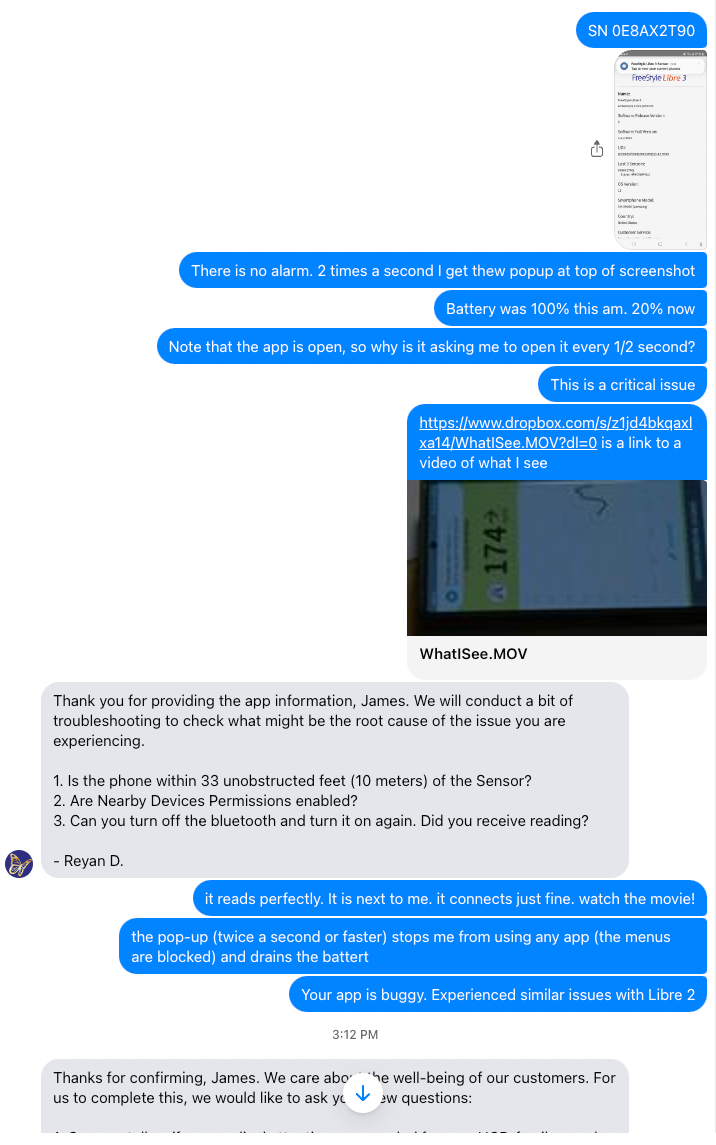

At least the Libre 3 app did not insist on enabling alarms.
Update: This morning for an unknown reason, the Libre 3 app started working correctly. I made no changes.
Worked nicely for a day. But today when I entered insulin amount, the repeating prompt started up again. I rebooted and it stopped. Then started again.
SOLVED?
Apparently, this is caused by an alarm because the pop-up had a time stamp from when my sugar reading was high. But it cannot be dismissed. So, I turned off notifications. This stopped the battery drain and pop-ups. But the bug is that the alarm cannot be dismissed. In spite of turning off notifications, the app beeped loudly when my blood sugar dropped below 70—a good thing.
Back to Libre 2
I (alas) am back on Libre 2 because Libre 3 is not covered by Medicare. My last, almost new Libre 3 scraped off when I put clothes in my dryer. The Libre 2 is almost useless because it will not warn you of high or low bnlood sugar unless you make a scan.
So, I installed the Libre 2 app on my android Samsung Galaxy s22 ultra.
- Could not log in with correct credentials. They worked at Libreview.com. When I click (on phone) forgot password, I get an application error!
- It requires me to turn off battery savings.
- It then gets to a screen on how to the apply sensor, I click next, and it says how to do a reading. Libre 2 app is stuck on these two pages, never telling me to go ahead and take the reading. (I tried that unprompted and it worked). But your typical computer unsavvy user would not know what to do at this point.
- Then I got the popups every second telling me to take a reading, even though there is still an hour left before one can. I had to again turn off all alarms except urgent low.
- The error messages ("Alarms Unavailable") are impossible to dismiss. You click it, you are told to take a reading, I do that, but the same error is there! Over and over again.
- Today, I swam with phone next to pool. Blood Sugar got to 55 with no warning.
- The Libre2 app keeps posting "click to open Libre2 app" 2 times a second, even when the app is open. This drains the battery!
- It also keeps asking to take a reading when a new sensor is installed, but the 60 minutes are not up. It takes over 20 clicks to dismiss these. Then, after the hour is up, it will not take a reading. I had to reboot the phone to get the app to work properly.
- These constant pop-ups rapidly drain the battery of the phone.
- It seems that if you close the Samsung case, this also triggers the pop-up, and the battery gets drained.
- My blood sugar went over 250, so I took some insulin. But the scanner could not take a reading, and the continual pop-up (2 times a second) stopped me from using the phone, and also drained the battery.
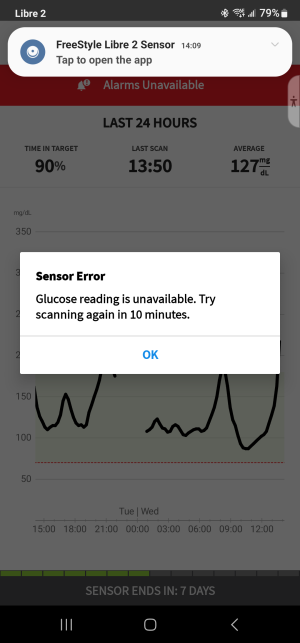
Why aren't these clear bugs fixed? There seems to be no way for a user to report them. I am a very sophisticated user, and I had trouble.
Update: Medicare now covers Libre 3!
It is much better. Get it. But I must use up my Libre 2's first.
So, I finally got Libre 3 sensors and the Libre 3 app. No more manual scanning is needed unless Bluetooth contact between you and the phone is lost. Your sugar levels are recorded continually.
BUT This drains the phone battery in my new Pixel8 Pro phone in about 4 hours. This is still unacceptable and is a safety issue. If you are out on a hike, and the battery drains, not only do you have no glucose monitoring, but you also cannot call for help!
I had to reset my Pixel 8 to its factory defaults, and then it refused to read my sensor, saying I had paired it with a different device. Catch 37.
Add new comment